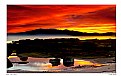
Taken in New Mexico on a misty, slightly foggy morning.
Your input is appreciated on both the photo composition and photoshop manipulation. I have cropped this photo, including a green tree off the right side. I have lightly dodged the dark farm implement, burned the mountainside and ground in both back and front, used a light canvas filter and added a slight contrast. I am learning and playing with Photoshop so anything you suggest will be appreciated.
Thanks Nacho. I shot this in 2003 while passing through the area I have now just moved to. After moving here, I went back to this spot to see how it looked in spring time instead of winter. Unfortunately, the old farm implement was gone. Then on June 8, a train derailed right beyond the trees and the black lava rock. The pasture is now a tangled mess of railroad cars and the pasture has been turned into a temporary roadway for heavy equipment to get in. I suppose the landowner will make a ton of money from the railroad for all the damage.
IMHO this shot is rather "flat" it lacks a central point - probably because the lack of sharpness- you really dont get any idea of a mist at all- the foreground object looks like an old railway wagon and this would be great except for the line of what looks like fence post running at am opposite angle in parallel with the Autumn trees. This has lots of potential- I would like to see the original so I have abetter Idea of what is achievable in Photoshop - The Canvas Filter probably adds to the softness but I cannot see the "canvas" effect at all.
Dave, I agree with the comment from Christine and Chris about the sharpening. You should really try this out yourself as well on this image, the result can be *much* better than shown here in the attachments. This is not Christine's or Chris' fault, the problem is probably the size reduction that Usefilm applies on attachment images, which gives a pretty blurred result again...
Dave, thanks for your comments in the forum & on my photos! I appreciate your feedback.
This image is wonderful & you have a very nice portfolio. This looks like something I would see near my house and take a shot at. I've tried taking photos of mountains, trees, old farm equipment etc., but I haven't had much luck there yet. I think my composition skills really need some work, so it's nice to see a photo of something silmilar to what I would try to shoot myself and see how someone else approaches it.
My suggestion on this photo, and it's a minor one, is in regards to Photoshop. It seems a bit soft, so maybe you could try running the Unsharp Mask on it. My scanner does this to me and I always have to spend time adjusting the brightness and sharpness to try and match the print as closely as possible. I'm getting better at it, I think... UseFilm has at least one article that might help with Photoshop: http://www.usefilm.com/photo_articles/23/Photoshop_Basics:_Achieving_Sharpness_for_Web_Images.html. And the following tip was passed on to me from a member that was originally left by Marc Gouguenheim (it's on the site somewhere but I couldn't find it, so I hope it's ok to post here.)
"First of all, sharpening is something that's better performed progressively, at large size and then each time when you reduce the size by half and half and half again. So, you get the best results when you sharpen a few times, not just once - but once at each size. Example:
1) Your file is at 600 dpi > Start with USM amount 20 or so and radius 40 ! (Threshold 0 or 1) No, I'm not joking...:-) This is to boost contrast, which will make further USMs work better. 2) Reduce file to 300 dpi then > USM radius 1.5 for humans, 1.0 for textures, amount about 70, threshold 0. Then you scale. 3) Reduce file to 150 dpi > Then USM radius 1.2, amount 30, threshold 0. 4) Reduce to 75 dpi and USM 1 or 1.1, amount 20, threshold 0.
The logic of this method is: each sharpening prepares for the next one, and you never get an over-sharpened image because you don't have to sharpen very strongly on a small file."
I used the previous example on the attached image, but since I upsized it then sized it back down, I'm sure it's not as good as it could be.
Nice subject,the gentle warm colours of the trees are attractive and the long body of the farm machinery suggestive.I think this shot would probably have had more impact if you'd used a wide angle zoom-24- 35mm or something similar and if you'd got in much closer to the farm machinery and had just the trees filling the top of the frame.Cloning out the white object centre/bottom would also be a good move- I always scan a scene like this for plastic bottles and bits of distracting rubbish before I shoot














 0
0 


 {K:23858} 12/13/2003